

Survey tools can make it easy to collect answers. The real test is whether those answers are good enough to guide a real business decision.
For quick feedback, a simple form may do the job. But when your team needs to validate a product idea, understand a market, test messaging or prove a recommendation to stakeholders, the bar is higher. You need to know who you’re hearing from, whether the sample is reliable and how quickly your team can turn responses into something useful.
That’s why the best survey tool depends less on the number of features and more on the decision you’re trying to make. Some platforms are built for fast feedback. Others are designed for consumer research where audience quality, data reliability and analysis matter more.
This guide compares nine survey tools by use case, so you can find the right fit for your team’s research goals.
Best survey tools at a glance
To help you compare options, here’s a snapshot of the nine leading survey tools covered in this guide. We’ve included their best use cases, standout features and G2 ratings.
| Tool | Best for | Standout features | Rating (G2) |
| Attest | Decision-ready consumer insights | Compass for survey drafting and analysis; Key Findings for faster insight summaries; data quality checks with human review | 4.5 |
| Pollfish | Flexible audience targeting | Pay-per-response pricing; nearly 7,000 audience filters; quick setup for targeted consumer surveys | 4.6 |
| Qualtrics | Complex research operations | Panel management; Edge Audiences for synthetic responses; advanced methods like Conjoint and MaxDiff | 4.4 |
| Quantilope | Automated brand health research | Better Brand Health tracking; automated MaxDiff and Conjoint studies; real-time insight dashboards | 4.3 |
| Google Forms | Simple internal surveys and feedback forms | Free survey creation; real-time team editing; automatic Google Sheets sync | 4.6 |
| Jotform | Customizable online forms and surveys | Drag-and-drop form builder; 10,000+ templates; 150+ app integrations | 4.7 |
| Typeform | Engaging branded surveys | One-question-at-a-time format; drop-off analytics; AI Brand Kit for branded forms | 4.5 |
| SurveySparrow | Omnichannel customer feedback | WhatsApp surveys; SpotChecks for website and app feedback; SmartReach for AI-powered outreach | 4.4 |
| SurveyMonkey | All-purpose survey research | Expert-built templates; SurveyMonkey Audience; branching and skip logic for structured surveys | 4.4 |
The best survey tools for advanced consumer research and decision-making
1. Attest: Best for decision-ready consumer insights
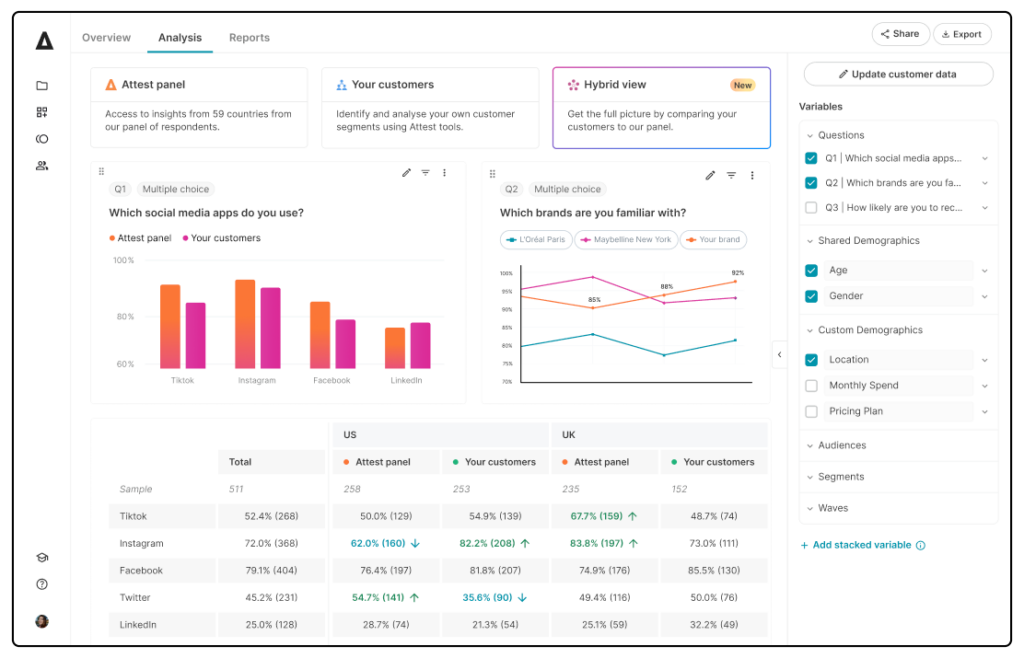
Attest’s end-to-end consumer insights engine helps teams move from research question to decision-ready insight in one workflow. The platform supports a wide range of consumer research use cases, including brand tracking, concept testing, consumer profiling, creative testing and multi-market research.
Teams can survey Attest’s panel, reach their own audience or combine both through hybrid research.
What makes Attest stand out is the way it connects the main components of consumer research: method, audience, data quality, analysis and storytelling.
And instead of treating every study as a separate project, Attest helps teams turn research into reusable consumer knowledge that supports faster decisions across marketing, brand and product teams.
As this G2 user says: “What I like most about Attest is the speed and simplicity — it delivers high-quality, targeted insights quickly without complex setup. This makes market research practical and actionable, not slow or overengineered.”
Compass, Attest’s research co-pilot, speeds up the research process by automating manual tasks like study setup, survey drafting, analysis support and reporting while keeping researchers in control.
Simply describe what you want to learn, then use Compass to shape the research approach, draft and refine survey questions, identify patterns in the data and build clearer data stories.
Attest also places a strong emphasis on data quality. Every survey goes through proprietary AI-powered checks and a final review from the customer operations team, with poor-quality responses removed and replaced before results are shown.
The TL;DR is that Attest works best for teams that need reliable consumer research they can act on quickly. It’s more feature rich than a general survey tool, but more accessible than complex research operations platforms that require specialist teams to manage.
Standout features:
- Compass: Turn a plain-English research goal into a structured survey draft, refine questions before launch and query your results once responses come in.
- Key Findings: Get an auto-generated starting point for analysis that includes an executive summary, key takeaways and charts grouped around relevant themes.
- AI summaries: Summarize open-text and video responses so teams can review qualitative feedback at scale without reading every response manually.
- Data quality checks: Screen responses using proprietary AI-powered checks and human review, with poor-quality responses removed and replaced before results appear.
- Boards: Build shareable data stories with charts, crosstabs and written commentary, so findings can be tailored for different stakeholders.
| Pros | Cons |
| G2 users mention that Attest is an intuitive survey builder with standard and advanced question types like MaxDiff and monadic. | Some G2 users note that while support is helpful, they take more time to resolve complex issues. |
| Users highlight the ease and reliability of Attest’s support, which makes their experience smoother and more productive. | |
| Users appreciate Attest’s ease of use, which makes gathering consumer insights fast. |

Qualtrics: Best for complex research operations
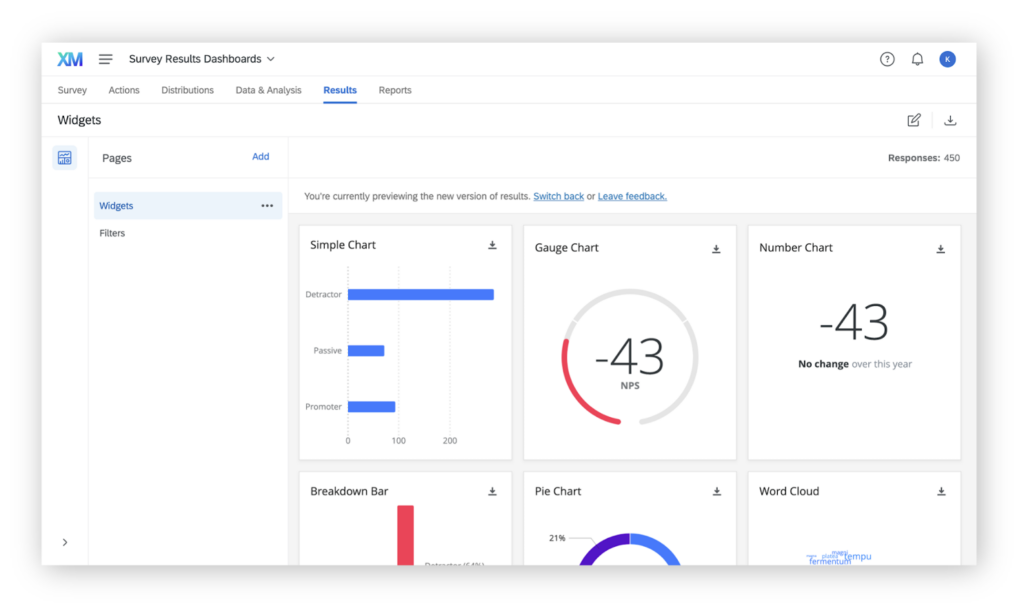
Qualtrics is a research and experience management platform for teams running large-scale, ongoing research across market, product, brand and customer experience use cases.
Its biggest strength is infrastructure. Research teams can run custom studies, recruit and manage panelists, access third-party samples and store past research in one system.
Qualtrics also supports more advanced research design and analysis. Teams can use it to create custom workflows, analyze large volumes of data and run advanced statistical methods like Conjoint and MaxDiff. Its role-based dashboards also help teams share findings across larger organizations.
As one G2 reviewer notes, “I also value the emphasis on innovation, advanced analytics and understanding customer and employee experiences at scale.”
A newer differentiator is Qualtrics Edge, an AI-powered tool that can simulate responses from specific consumer profiles to help teams gather insight from hard-to-reach audiences.
The TL;DR is that Qualtrics is powerful for teams with advanced research needs and the resources to manage a more complex platform. It may be overkill for teams that want to run consumer research without significant setup or training.
Standout features:
- Panel management: Build and manage custom research panels, access third-party samples and support ongoing audience engagement from one platform.
- Edge Audiences: Simulate responses from specific demographic or customer profiles to test ideas faster or explore hard-to-reach audiences.
- Advanced methodologies: Run more complex research methods, including Conjoint and MaxDiff, with analytics built for sophisticated research programs.
| Pros | Cons |
| G2 users say Qualtrics is intuitive and easy to navigate, and they find it simple to build surveys and analyze results. | Some G2 users report difficulty customizing survey layouts and visual dashboards. |
| G2 users highlight Qualtrics’ flexibility and scalability for creating and managing surveys across a wide range of business needs. | |
| Scales well for enterprise use, supporting large and global research programs. |
Pollfish: Best for flexible audience targeting
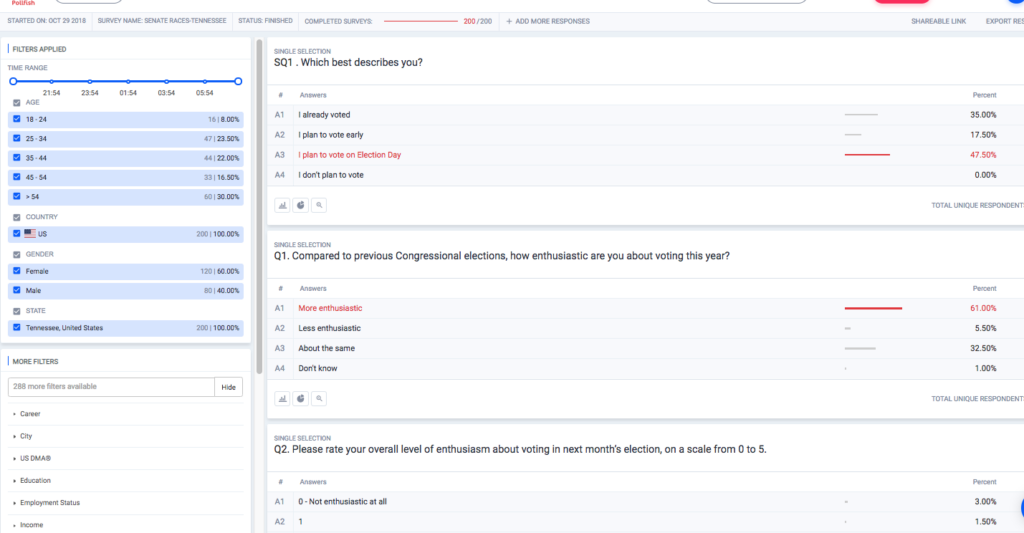
Pollfish is a DIY market research platform for teams that need to launch targeted consumer surveys quickly. It works well for users who prefer to run surveys without committing to a platform long term.
Its main differentiator is audience access. Pollfish says it doesn’t rely on third-party audiences and connects researchers with real respondents through its owned audience, supported by Prodege’s consumer programs.
Users can take advantage of advanced targeting, with access to over 7,000 verified audience filters that include location, demographics, lifestyle, employment, behavior and media habits. One G2 reviewer appreciates “the large pool of verified consumers to gain fast insights from. This particular attribute to me makes Pollfish stand out above other platforms.”
Pollfish also stands out for its pricing model, as teams can pay per completed response. As you build your audience, the platform updates the cost per response and total project cost in real time, which helps with budgeting.
The TL;DR is that Pollfish works best for teams that need fast access to targeted consumer audiences without committing to a full research platform.
Standout features:
- Pay-per-response pricing: Pay only for completed responses, with real-time pricing that updates as you adjust audience, sample size and survey criteria.
- Advanced audience targeting: Choose from nearly 7,000 filters to find exactly the people you want to survey.
- Easy research management tools: Supports features like single sign-on, organized folders, team sharing and one-click survey duplication.
Quantilope: Best for automated brand health research
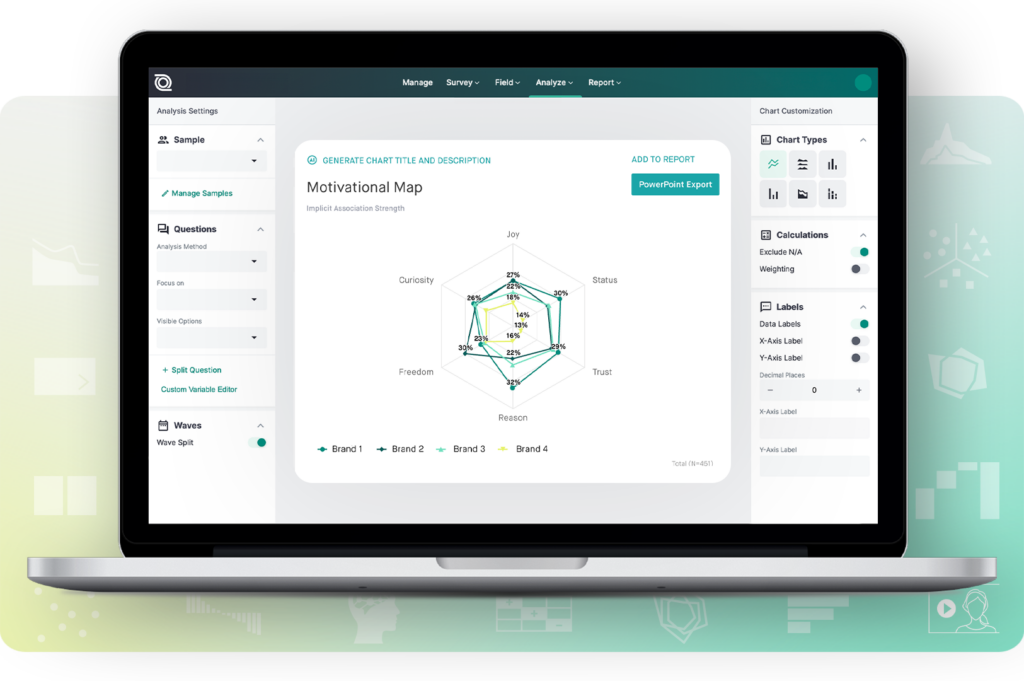
Quantilope automates sophisticated survey methods that usually require specialist expertise.
Its biggest differentiator is how it approaches brand health. Alongside traditional tracking metrics like awareness, consideration and usage, Quantilope offers a Better Brand Health tracking approach based on the Ehrenberg-Bass Institute’s work.
This helps teams understand mental availability, category entry points and the situations where consumers are more likely to think of or choose a brand.
Quantilope is also useful for studies that go beyond standard surveys. Teams can automate methods like MaxDiff, Conjoint, A/B testing and Implicit Association Tests.
As one G2 user states: “It is user-friendly, and it allows you to learn more about other methodologies. Its tutorials are clear and helpful, plus their research team is always there for you if you need more assistance!”
The TL;DR is that Quantilope works best for insights teams that want automated access to advanced methods and a more behaviorally informed approach to brand health.
Standout features:
- Automated advanced methods: Run research methods like MaxDiff, Conjoint and A/B testing with automation built into the study setup and analysis process.
- Real-time insights: Responses are processed and visualized in under a second to enable rapid learning and adjustments.
- Quinn AI Research Partner: Get AI-powered guidance, inspiration and task support throughout the research process.
| Pros | Cons |
| G2 users highlight Quantilope’s ease of use, noting that the platform is user-friendly and visually intuitive to navigate. | Some G2 users mention that the platform has a learning curve for those new to advanced survey methods. |
| Quantilope’s readily available customer support helps resolve concerns quickly and enhances overall usability, as noted by G2 users. | |
| Automation functionality drastically speeds up the traditional research cycle. |
The best survey tools for quick internal feedback and simple surveys
Google Forms: Best free survey tool
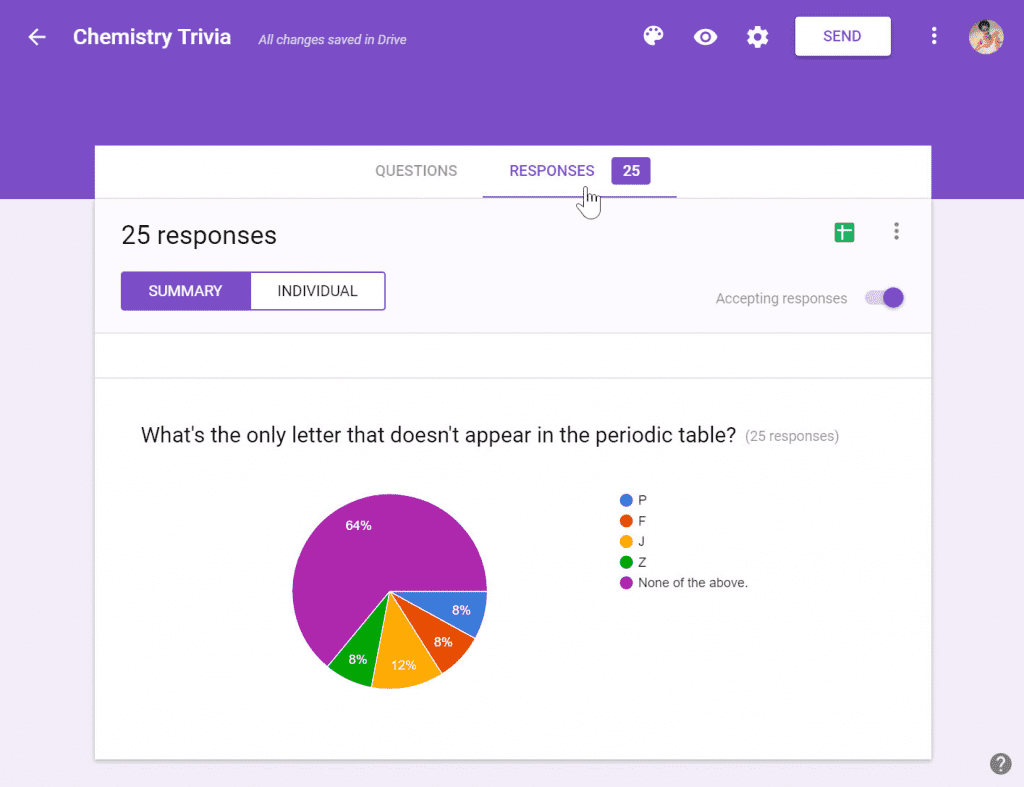
Google Forms is a free, browser-based tool that’s perfect for simple surveys, quizzes and feedback forms with no special software required. Its biggest strengths are simplicity and accessibility: anyone with a Google account can create and share a form in minutes.
It seamlessly connects with Google Sheets, delivering instant results and visual summaries like charts and graphs. This ease of use makes it especially popular with small teams that need fast, straightforward data collection.
As one Capterra reviewer remarks, “It integrates well with Google Sheets and provides real-time responses. What’s more, it’s completely free with several templates and themes readily available to choose from.”
The TL;DR is that Google Forms works best for basic surveys and internal feedback. It’s free and easy to use, but not built for advanced research.
Standout features:
- Free to use: Zero subscription fees and virtually no response limits.
- Real-time collaboration: Multiple users can edit and manage forms together.
- Question variety: Use multiple choice, dropdowns, file uploads and more.
| Pros | Cons |
| Very easy to use with immediate visual feedback from the UI. | Basic design customization and analytics compared to advanced platforms, as noted by Capterra users. |
| Full integration with Google Sheets enables simple data export and manipulation. | |
| Completely free and accessible via any Google account. |
Jotform: Best for customizable online forms and surveys
Source
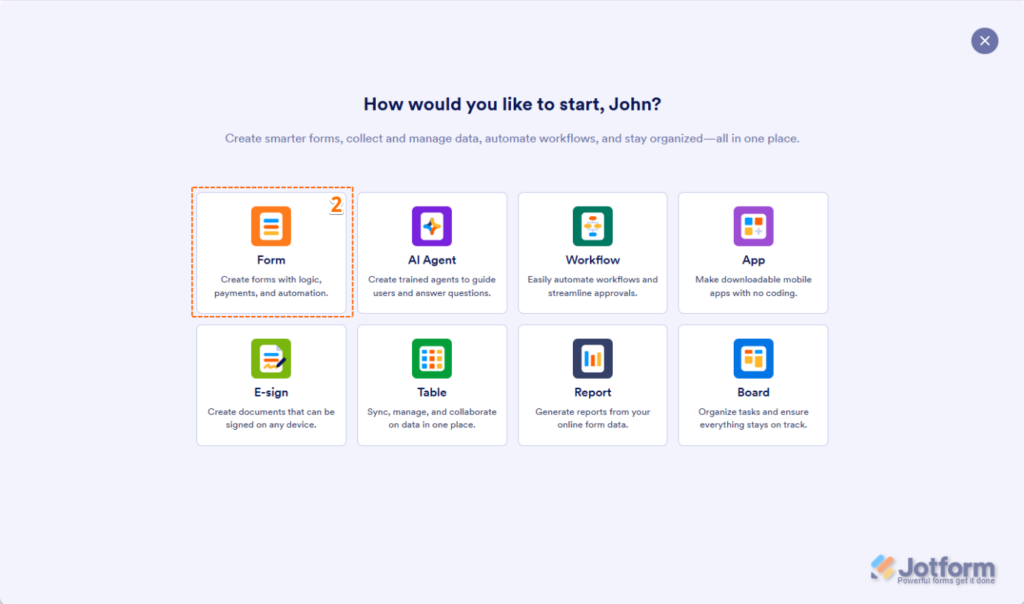
Jotform is an online form builder that doubles as a survey tool, and it offers a highly customizable way to collect data.
With drag-and-drop functionality, users can create surveys, registration forms, quizzes and more without coding. Jotform also integrates with over 150 third-party apps, including Claude, Google Drive and Slack, which makes it easy to connect survey data to existing workflows.
As one G2 user notes: “Jotform is incredibly user-friendly and versatile. It allows us to build everything from simple contact forms to more complex workflows like internal requests, patient check-ins, surveys and event RSVPs.”
The TL;DR is that Jotform is widely used by small businesses, healthcare providers, government organizations and nonprofits for a range of tasks, from customer satisfaction surveys to event registrations.
Standout features:
- Customizable surveys: Drag-and-drop form builder with extensive design options.
- Integrations: Connect with 150+ apps, including CRMs, cloud storage and messaging tools.
- Templates library: 10,000+ free templates for surveys, forms and questionnaires.
| Pros | Cons |
| Many G2 users highlight Jotform’s ease of customization, which makes surveys adaptable to any need. | Some G2 users mention that Jotform’s pricing can feel restrictive, with essential features locked behind higher-tier plans. |
| G2 users praise the tool’s wide range of features. | |
| A drag-and-drop builder with extensive design options makes it easy to create fully customized surveys and forms. |
The best survey tools for surveys designed to increase completion rates
Typeform: Best for engaging branded surveys
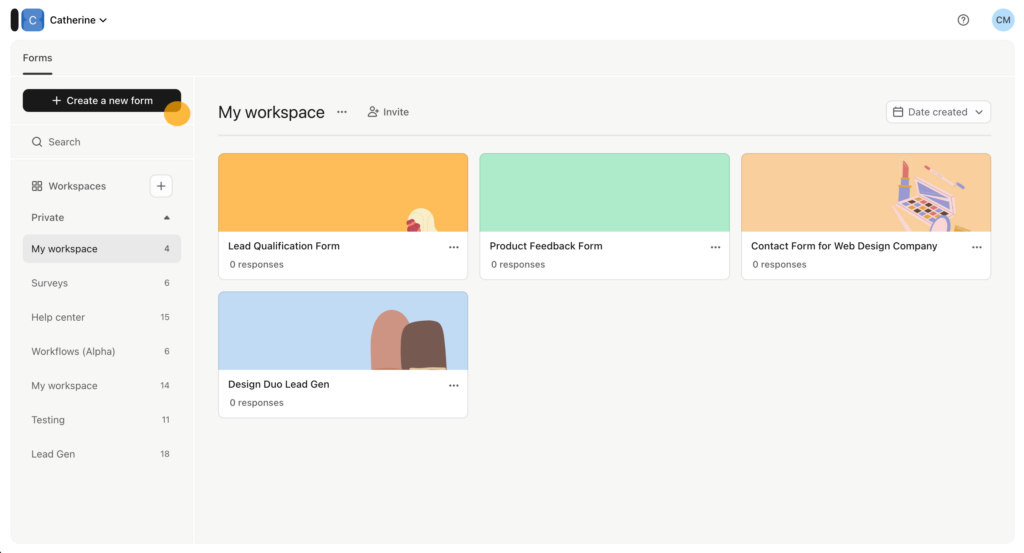
Typeform is a survey and form-building platform best known for its sleek, conversational design. The platform creates engaging experiences that feel more like a conversation than a questionnaire.
This design-first approach helps increase response rates, which makes Typeform a popular choice for brands who want surveys to reflect their brand personality.
Instead of overwhelming respondents with a full list of questions, Typeform presents one question at a time in a clean, interactive format. This keeps surveys lightweight, approachable and enjoyable to complete.
Many G2 reviewers have commented on the platform’s ease of use, with one user remarking, “I love how easy it is to create professional-looking forms that people actually enjoy filling out.”
Typeform also integrates with hundreds of essential tools like Mailchimp, Slack and Salesforce. And Typform’s “AI know-pilot” streamlines the form building process and does high-level data analysis.
The TL;DR is that Typeform works best for teams that care about survey experience and brand presentation. Its one-question-at-a-time format helps surveys feel more engaging, but it may not be the strongest fit for teams that need advanced analytics.
Standout features:
- Drop-off analytics: See where respondents abandon your survey, then use those insights to improve the experience and increase completion rates.
- Advanced conditional logic: Create dynamic question paths that adapt based on responses to enable more targeted and relevant responses.
- AI Brand Kit: Automatically pulls in brand colors, logos and design elements to easily create branded forms.
SurveySparrow: Best for omnichannel customer feedback
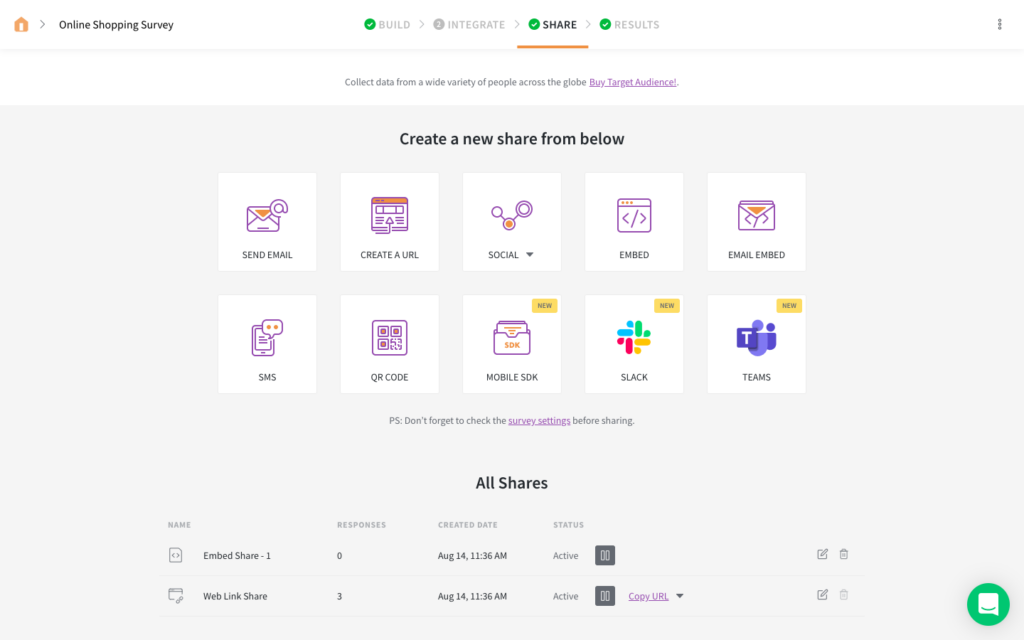
SurveySparrow is a customer and employee feedback platform built around conversational surveys. Instead of relying only on traditional questionnaires, teams can collect feedback across channels like email, SMS, WhatsApp, websites, mobile apps and even offline.
This platform is a strong fit for CX, product and marketing teams that want to capture feedback closer to the moment of experience. As one G2 customer notes, “The conversational survey experience boosts response rates and makes surveys feel natural and engaging, leading to higher completion rates and more thoughtful responses.”
For example, teams can send conversational surveys through WhatsApp or via targeted micro-surveys on a website or mobile app.
The TL;DR is that SurveySparrow works well for collecting feedback across customer multiple touchpoints, but it’s less suited to advanced market research studies.
Standout features
- WhatsApp chatbot: Send conversational surveys through WhatsApp to collect feedback in a familiar, high-engagement channel.
- SpotChecks: Trigger targeted micro-surveys on your website or mobile app based on where users are, what they’re doing and when feedback is most relevant.
- SmartReach: Use AI-powered outreach to automate survey delivery with optimized timing, preferred-channel targeting and custom follow-up sequences.
| Pros | Cons |
| Many G2 users have praised SurveySparrow’s helpful customer support. | Some G2 users have remarked on limited features, especially on lower tiers. |
| G2 users value SurveySparrow’s customization options and note that this functionality makes surveys both enjoyable for users and efficient to create. | |
| Strong integrations with popular business and HR tools. |
The best survey tool for flexible, all-purpose survey workflows
SurveyMonkey: Best for all-purpose survey research
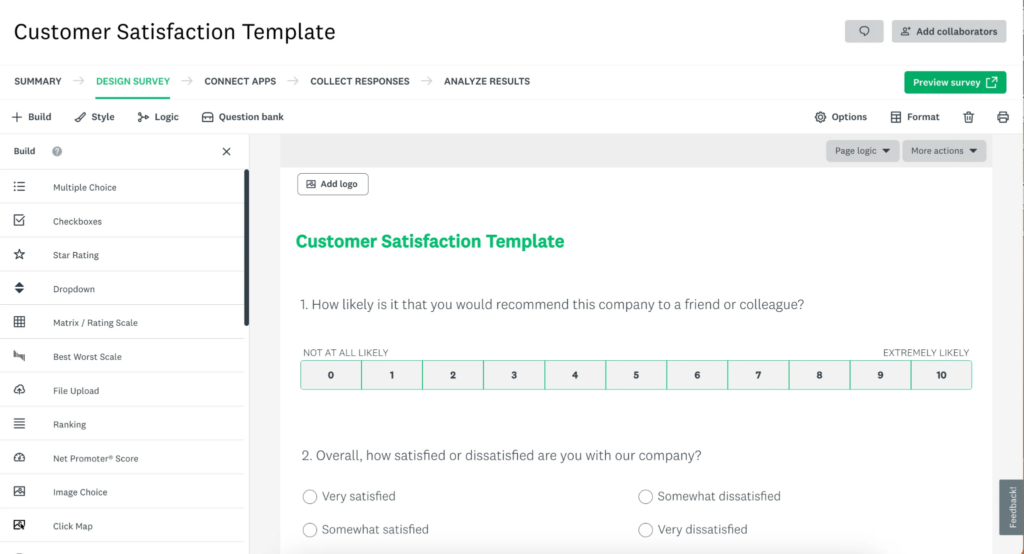
SurveyMonkey is one of the most widely known survey platforms. It’s a strong fit for teams that need one flexible tool for common survey workflows.
Compared with simpler form builders, SurveyMonkey gives teams more structure. Users can start from hundreds of expert-built templates, distribute surveys through email, web links, SMS or QR codes. You can also use SurveyMonkey Audience to reach respondents beyond their existing customer base. The platform also offers a range of AI functionality to streamline the survey creation process.
As one G2 reviewer notes, “The platform also supports different survey formats and distribution options, which makes it convenient for collecting feedback from customers, employees or research participants.”
The TL;DR is that SurveyMonkey works best for teams that need a flexible, all-purpose survey tool. It offers more structure than a basic form builder, with templates, audience access and survey logic, but it may feel less specialized for teams running deeper consumer research.
Standout features:
- Survey templates: Start from hundreds of ready-made templates for common use cases like customer satisfaction, employee feedback, market research and brand tracking.
- SurveyMonkey Audience: Reach respondents beyond your own customer base using SurveyMonkey’s global panel.
- Advanced survey logic: Use branching, skip logic and randomization to build more structured surveys than basic form builders allow.
| Pros | Cons |
| G2 users highlight SurveyMonkey’s ease of use, and note that it makes essential survey features simple to access and apply. | Some G2 users say pricing feels inflexible, especially for occasional surveys or when targeting niche audiences. |
| SurveyMonkey offers a variety of ready-made templates for brand tracking, customer satisfaction and market research. | |
| AI-generated insights and real-time dashboards speed up analysis and make results easier to interpret. |
How to choose the best survey tool for your business
With hundreds of survey tools promising perfect insights, how do you know which one’s worth your time? The right platform should feel effortless to use, while giving you confidence that the results you see are high-quality and actionable. Here are seven features to look for when comparing your options.
Data quality and sample reliability
Getting a lot of responses doesn’t guarantee useful insights. If your sample is biased, respondents are rushing or unreliable answers make it into your results, the data can point your team in the wrong direction.
When comparing survey tools, look for safeguards that protect data quality. These might include respondent verification, fraud detection, IP and device monitoring, attention checks, logic checks and the quality of open ended answers.
Advanced question types
Basic multiple-choice and text fields only get you so far. Look for tools that support formats like MaxDiff, monadic testing, ranking, NPS and media-based questions.
These question types help teams answer more specific research questions, like which features customers value most, which concept performs best or how people feel about a brand. Some platforms also support video responses and AI-moderated interviews which makes it easier to understand the reasoning behind people’s answers.
Logic and audience routing
Not every respondent should have to follow the same path through your survey. Branching logic, skip logic and qualifying questions help route people based on their answers, so they only see questions that apply to them.
This keeps the survey experience shorter and more relevant, which can reduce fatigue and improve completion rates. It also helps protect your data by screening out respondents who don’t match the audience you need or who give inconsistent answers.
Built-in audience access
If you don’t already have a respondent list, look for a platform with built-in audience access. Verified online panels let you reach specific consumer groups without managing recruitment separately.
The best tools allow you to target respondents by criteria like age, location, income, interests, purchase behavior or customer status. This is especially useful when you need feedback from a defined audience, whether that’s Gen Z skincare buyers, US pet owners or existing customers in a specific market.
Real-time analysis and segmentation
Collecting data is just the start. Tools with live dashboards, filters and crosstabs let you see patterns as responses come in, rather than waiting for a data analyst. Some even use AI to flag key findings automatically, making it easier for non-researchers on your team to understand results at a glance.
Customization and branding
Surveys should feel like a natural extension of your brand. Choose a tool that lets you add your logo, apply your color palette and, if needed, white-label the entire experience. A professional, consistent design builds trust with respondents and keeps your brand front and center.
AI capabilities
AI market research tools can make the research process faster, but they shouldn’t remove human judgment. Look for tools that use AI to reduce manual work across survey drafting, question refinement, qualitative analysis and reporting.
The strongest AI features help teams get to insight faster while keeping researchers in control. That might include generating a first survey draft, summarizing open-text or video responses, surfacing key findings or helping turn results into a clear story for stakeholders.
Create your first survey with Attest
A strong platform gathers feedback you can trust and presents clear insights to help you understand your audience and act quickly.
If you’ve been thinking about running your first survey, now’s the time. Even a simple project can surface insights that shape smarter strategies and unlock growth.
How Attest helps businesses unlock better insights
Brands across industries already use Attest to make research more actionable. For example, Suntory America used Attest to explore US drinking habits and uncover new opportunities in ready-to-drink beverages. Ocean Bottle used Attest’s segmentation tools to identify new customer groups and launch a more affordable range. And Reddit regularly taps into Attest’s multi-market capabilities to prove its competitive value to advertisers worldwide.
Whether you’re tracking brand performance, testing creative or validating a new product idea, Attest makes it simple to get reliable insights from the audiences that matter most — quickly and at scale.
Ready to see what better research could do for your business? Start your first survey today and turn insight into impact.